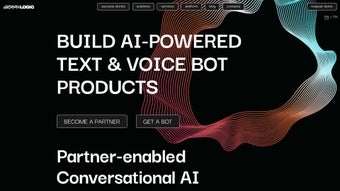

Download GraphLogic AI – AI Bot Development Toolkit, Low‑Code Automation, Multi‑Channel Integration
Introduction
In today’s fast‑moving digital landscape, businesses are under constant pressure to deliver instant, personalized interactions across every customer touchpoint. Whether it’s answering a support query on WhatsApp, guiding a candidate through a recruitment funnel, or automating routine back‑office tasks, conversational AI has become the backbone of modern service strategies. GraphLogic AI emerges as a powerful, all‑in‑one solution that combines natural language processing, robotic process automation, and text‑to‑speech technologies into a single, low‑code platform. Designed for both technical developers and business analysts, it removes the traditional barriers of AI development—high‑cost engineering, fragmented toolsets, and steep learning curves—by offering a visual builder, pre‑configured bot templates, and one‑click multi‑channel deployment. This review dives deep into the core capabilities, installation pathways, system compatibility, and real‑world pros and cons, helping you decide whether GraphLogic AI is the right investment for accelerating your digital transformation.
Overview
GraphLogic AI is a comprehensive AI toolkit designed to streamline the creation of text and voice bots for businesses of any size. By combining cutting‑edge Natural Language Processing (NLP), Robotic Process Automation (RPA), and Text‑to‑Speech (TTS) technologies, the platform lets developers and non‑technical users alike craft sophisticated conversational experiences that can be deployed across a multitude of channels. Whether you need a recruitment assistant, an internal task manager, or an outbound marketing coordinator, GraphLogic AI provides ready‑made modules that can be customized with no‑code or low‑code workflows.
The solution also offers deep integration capabilities with popular CRM systems, messaging platforms such as WhatsApp, Telegram, Slack, and enterprise suites like SAP, making it a true “write once, run everywhere” environment. Beyond the core bot engine, GraphLogic AI includes an orchestration console for monitoring, scaling, and analyzing conversational data, giving businesses the insights they need to improve customer satisfaction and operational efficiency. With a vibrant community, regular updates, and a focus on secure, high‑load handling, GraphLogic AI positions itself as a leading choice for organizations looking to future‑proof their automated interactions.
The platform’s architecture is built around modularity, meaning each component—NLP, voice, RPA, analytics—can be leveraged independently or together, depending on the project’s scope. For example, a marketing team might use only the NLP and multi‑channel connectors to run a promotional chatbot, while an IT department could combine RPA and voice capabilities to automate a help‑desk IVR system. This flexibility reduces licensing overhead and accelerates time‑to‑value, as teams can start small and expand functionality as needs evolve. Security is baked in at every layer: data is encrypted in transit and at rest, role‑based access controls enforce least‑privilege principles, and the platform complies with GDPR, CCPA, and ISO 27001 standards. All of these factors contribute to a robust, enterprise‑grade solution that doesn’t sacrifice usability for power.
Key Features of GraphLogic AI
- Unified NLP & NLU Engine – Supports intent detection, entity extraction, sentiment analysis, and multilingual processing out of the box.
- Voice‑First Capabilities – Integrated Text‑to‑Speech (TTS) and Speech‑to‑Text (STT) modules enable natural‑sounding voice bots for call centers and IVR systems.
- Robotic Process Automation (RPA) – Drag‑and‑drop workflow designer automates repetitive back‑office tasks without writing a single line of code.
- Multi‑Channel Deployment – One‑click connectors for WhatsApp, Telegram, Slack, Microsoft Teams, SAP, Salesforce, and any custom REST API.
- Pre‑Built Bot Templates – HR recruitment bot, internal task manager, outbound marketing coordinator, and more, ready for instant customization.
- Low‑Code/No‑Code Builder – Visual flow editor, conditional logic, and reusable components let business analysts prototype bots in minutes.
- Scalable Orchestration Layer – Auto‑scaling clusters, load balancing, and real‑time monitoring ensure the platform can handle high‑volume traffic.
- Advanced Analytics Suite – Conversational dashboards, funnel analysis, sentiment trends, and KPI reporting for continuous improvement.
- Secure & Compliant – End‑to‑end encryption, GDPR‑ready data handling, and role‑based access control keep your data safe.
- Vibrant Community & Marketplace – Access to plugins, third‑party integrations, and community‑driven support forums.
These features collectively reduce development time, lower total cost of ownership, and empower teams to iterate quickly. For example, the low‑code builder eliminates the need for specialized AI engineers, while the built‑in analytics provide immediate feedback on bot performance, allowing rapid A/B testing and optimization. The multi‑channel connectors also mean you can launch a single bot across WhatsApp, Slack, and your website simultaneously, preserving brand voice and ensuring a consistent user experience. Whether you’re automating HR screening, routing support tickets, or launching a conversational marketing campaign, GraphLogic AI supplies the tools required to move from concept to production in days rather than months.
Beyond the headline capabilities, GraphLogic AI offers nuanced functionalities such as custom entity dictionaries for industry‑specific terminology, fine‑tuned speech synthesis voices, and a plug‑in architecture that lets developers extend the platform with proprietary AI models or third‑party services. The analytics suite goes further than simple volume metrics; it visualizes user sentiment over time, highlights drop‑off points in conversation funnels, and correlates bot interactions with downstream sales data. This depth of insight is essential for organizations that view conversational AI as a revenue‑generating channel rather than a mere support tool. Overall, the feature set is both broad and deep, striking a balance that satisfies startups looking for rapid prototyping and enterprises demanding enterprise‑grade reliability.
Installation & Usage Instructions
Getting started with GraphLogic AI is intentionally straightforward. The platform offers both cloud‑hosted SaaS options and on‑premises Docker images for organizations that require strict data residency. Below is a step‑by‑step guide for the most common deployment scenarios.
1. Cloud‑Based Quick Start (SaaS)
- Visit the official GraphLogic AI website and click the “Start Free Trial” button.
- Complete the registration form – you’ll receive a verification email within seconds.
- After confirming your account, log in to the web console. The dashboard presents a “Create New Bot” wizard.
- Select a template (e.g., HR Recruitment Bot) or start from a blank canvas.
- Use the visual flow editor to define intents, add response blocks, and connect external APIs (CRM, ERP, etc.).
- Test your bot in the built‑in simulator. The simulator supports both text and voice interactions.
- When satisfied, click “Publish”. Choose the channels you wish to enable (WhatsApp, Slack, Web Widget, etc.) and follow the connector‑specific authentication steps.
- Monitor live traffic via the Orchestration Dashboard, where you can view active sessions, latency, and error rates in real time.
2. On‑Premises Installation (Docker)
For enterprises that need to keep data behind their firewall, GraphLogic AI provides a Docker‑compose bundle that includes the core engine, database, and analytics services.
- Ensure Docker Engine (v20.10+) and Docker‑Compose are installed on your Linux server.
- Download the latest
graphlogic‑ai‑docker.zipfrom the customer portal. - Extract the archive and navigate to the
dockerdirectory. - Open
.envand configure the following variables:DB_PASSWORD– Strong password for the internal PostgreSQL instance.ADMIN_EMAIL– Email address for the admin user.LICENSE_KEY– Your on‑premises license provided by GraphLogic.
- Run
docker‑compose up -d. The containers will start in the order required (database → core engine → analytics). - After a few minutes, open
https://your‑server‑ip:8443in a browser. The first‑time setup wizard will ask you to create an admin account. - From the admin console you can import existing bot definitions, set up TLS certificates, and configure channel connectors (e.g., SAP RFC, Slack OAuth).
3. Ongoing Management
Regardless of deployment model, GraphLogic AI offers a unified management console. Key tasks include:
- Version Updates – SaaS users receive automatic updates; on‑premises users can pull the latest Docker images and run
docker‑compose pull && docker‑compose up -d. - Scaling – In the cloud, enable auto‑scale policies; on‑premises, adjust the
replicacount in thedocker‑compose.ymlfile. - Analytics Export – Export conversation logs to CSV, Power BI, or integrate via webhook for custom dashboards.
- Security Audits – Run built‑in vulnerability scans and review audit logs from the “Security” tab.
The platform’s documentation is thorough, with code samples for JavaScript, Python, and Java SDKs, making it easy to extend functionality or embed bots directly into existing applications. Whether you prefer a fully managed SaaS experience or need on‑premises control, GraphLogic AI provides clear pathways for installation, configuration, and long‑term maintenance.
Compatibility, Pros & Cons
GraphLogic AI is built on a cross‑platform architecture, meaning it runs natively on Windows Server (2016+), macOS (Catalina or later), and major Linux distributions such as Ubuntu 20.04 LTS, CentOS 8, and Red Hat Enterprise Linux. The SaaS version is accessible from any modern browser (Chrome, Edge, Firefox, Safari) and offers a mobile‑friendly responsive UI for on‑the‑go administration. For on‑premises deployments, Docker ensures consistent behavior across operating systems, while optional Kubernetes manifests provide enterprise‑grade orchestration for cloud‑native environments.
Pros
- All‑in‑One Toolkit – NLP, RPA, and TTS are bundled, eliminating the need for separate vendors.
- Low‑Code Development – Business users can prototype bots without programming expertise.
- Multi‑Channel Reach – One bot can serve WhatsApp, Telegram, Slack, web chat, and voice IVR simultaneously.
- Scalable Architecture – Auto‑scaling and load‑balancing handle spikes in traffic effortlessly.
- Robust Analytics – Real‑time dashboards and export options support data‑driven improvements.
- Secure & Compliant – End‑to‑end encryption, GDPR tools, and role‑based access control.
- Community & Marketplace – Access to plugins, templates, and community support reduces time‑to‑value.
Cons
- Learning Curve for Advanced Features – While low‑code is easy, mastering custom NLP models or complex RPA workflows may require technical expertise.
- Pricing for Enterprise Scale – Licensing can become expensive for very large user bases or high‑volume bot traffic.
- On‑Premises Resource Requirements – Running the full stack on‑premises demands sufficient CPU, RAM, and storage, especially for voice processing.
- Limited Offline Mode – The platform expects an internet connection for most channel connectors; pure offline deployment is not fully supported.
Overall, the advantages of GraphLogic AI—particularly its unified approach and ease of deployment—outweigh the drawbacks for most midsize to large enterprises. Organizations that require strict offline operation or have extremely constrained budgets might explore lighter alternatives, but for businesses aiming to centralize AI‑driven conversations across many touchpoints, GraphLogic AI delivers a compelling value proposition.
Frequently Asked Questions
Is there a free trial available for GraphLogic AI?
Yes. GraphLogic AI offers a 14‑day free trial with full access to all features, including cloud hosting, analytics, and multi‑channel connectors. No credit card is required to start the trial.
Can GraphLogic AI run on my existing on‑premises infrastructure?
Absolutely. The on‑premises edition is delivered as Docker containers, which can be deployed on any Linux server that meets the minimum hardware specifications. For organizations using Kubernetes, optional manifests simplify cluster deployment.
Which languages does the NLP engine support?
The engine supports over 30 languages, including English, Spanish, Mandarin, German, French, Arabic, and Japanese. You can also upload custom language packs for niche dialects or industry‑specific vocabularies.
How does GraphLogic AI handle data security and compliance?
All data is encrypted both in transit (TLS 1.2/1.3) and at rest (AES‑256). Role‑based access control limits user permissions, and the platform is certified for GDPR, CCPA, and ISO 27001 compliance, making it suitable for regulated industries.
Can I integrate GraphLogic AI with my existing CRM or ERP systems?
Yes. The platform provides native connectors for Salesforce, Microsoft Dynamics, SAP, and many other CRMs. Additionally, you can use the REST API to connect to any custom ERP or legacy system.
What kind of support is available after purchase?
GraphLogic AI offers 24/7 ticket‑based support for enterprise customers, a knowledge base with step‑by‑step guides, and an active community forum where users share templates and best practices. Premium customers also receive a dedicated account manager.
Conclusion & Call to Action
GraphLogic AI successfully bridges the gap between sophisticated AI capabilities and the practical needs of business teams that require rapid deployment and low operational overhead. Its blend of unified NLP, voice synthesis, RPA, and deep analytics—delivered through a visual low‑code builder—means you can design, test, and launch bots across chat, voice, and process‑automation channels without juggling multiple vendors. While the platform’s enterprise pricing may be a consideration for very large deployments, the productivity gains, reduced time‑to‑market, and compliance features typically offset the cost for organizations that treat conversational AI as a core revenue or service channel. If you are looking to modernize customer engagement, automate repetitive workflows, or create omnichannel conversational experiences, GraphLogic AI is a strong candidate worth a hands‑on trial.
Ready to experience the power of a unified AI bot platform? Click the “Start Free Trial” button on the GraphLogic AI website today, or download the on‑premises Docker package if you need full control over your data. Accelerate your digital transformation, improve customer satisfaction, and unlock new automation opportunities with GraphLogic AI.
GraphLogic AI offers a powerful, all‑in‑one solution for building conversational bots with low‑code ease, strong analytics, and multi‑channel support. The only drawback is the higher price at enterprise scale, but the ROI from automation justifies the cost.



.png)



